🔙 to the Sponsor Hub
What is lead capture?
Lead capture will allow you to use the lead capture app from vFairs to scan an attendee’s QR Code printed on their badge. Consent for capturing this data is required. See below.
What are the expectations for attendee privacy and consent?
Attendees expect that capturing their contact information through lead capture will not be performed without their consent. That is, you should ask each individual if they give consent to you scanning the QR Code on their badges. Scanning leads without consent will result in immediate termination of lead capture privileges and withholding of captured lead data.
Furthermore, you agree that by capturing lead information you will use it only for legitimate business purposes at your organization and that it will be protected by the data privacy and data protection policies in place at your organization.
What do I get with lead capture?
For each captured lead, your lead capture report will include at minimum First Name, Last Name and Email. Additionally, where available (i.e. provided by the attendee during registration), it will also include Company and Job Title. Lastly, once scanned, you can manually enter a Phone Number if the attendee is willing to provide it during your lead capture interaction. Your screen will show an optional Phone Number field and you will have to ask the attendee if they are willing to provide it.
How do I get access to lead capture?
Please see Lead Scanning for more information, but the basic steps are:
- Register for the event
- Work with your event lead to provide contact info for your lead scanning staff
- Follow the instructions for installing the vFairs Lead Capture app for your device
- Test your app
How do I test my lead capture access prior to the event?
Once you’re setup, you can use these two test codes to ensure your access is working:
| Test Attendee 01 | Test Attendee 02 |
|---|---|
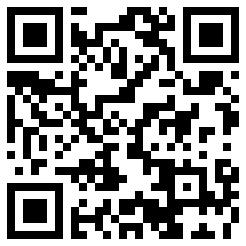 | |
How do I download my captured leads?
Any lead capture user can export your lead capture report from the vFairs app using the “EXPORT” button on the top-right when viewing all leads. This will email a lead capture report to you. It will be a zip archive of multiple excel files like this:

The files contain:
- all_leads_**** contains all leads, but won’t contain Company or Job Title
- attendee_leads_**** contains all data for all attendee of type ATTENDEE, which will be most leads. These contain all the fields previously mentioned and is likely your main source of lead data
- booth_admin_leads_**** contains leads scanned when the attendee is also a sponsor with an exhibitor booth. These do not contain company or job title
- manual_leads_**** contains any manual leads you might enter
- speaker_leads_**** will be empty. You can ignore this file. We won’t have any attendees listed as Speakers. They will simply be Attendees
Here’s a sample attendee_leads_**** file showing the two test leads from above:

N.B. We can create a lead capture user for staff who will not be on-site if you want to give access to an admin or lead to monitor/manage leads and exports. All leads captured by all your booth staff go into the same bucket.
What if I need more help?
For help prior to the event, please email organizers-dc@kubernetescommunitydays.org
For help on-site, please see Matthew Cascio or call/text him at 703-505-8700.